For 15 years, I’ve worked inside multiple firearms manufacturers—and now I’m convinced AI is one of the most valuable tools available to professionals in our industry. This blog will serve as a place to share some lessons that I have learned as well as a place to write about my continued ongoing growth and insights.
The first topic that I am going to cover will have little to do with guns. AI has become the hot topic of the year, and for good reason. Let’s address how AI is changing the professional landscape in 2026. I am also going to disclose to you that you will see AI-generated graphics and I do use it to help proofread content. There is use case #1!
What can AI do for you Link to heading
There is a lot of fear and skepticism surrounding AI and I get it. In fact I was there too in mid-2025. AI has been called both a search engine fad and a force that is going to destroy humanity. I don’t have the credentials to explain to you exactly how today’s AI works in the background, but my experience matches neither of these assumptions. For me AI has become a tool that acts as a force multiplier in my professional life. I use it to:
- Type and format documents
- Brainstorm ideas
- Organize thoughts into usable templates
- Clean up messy data
- Write custom software
My interest and growth in these tools have led me to help mentor others in my professional life on the use of these tools. Let me address the biggest question that I get, “I don’t understand how I would use this in my work?”
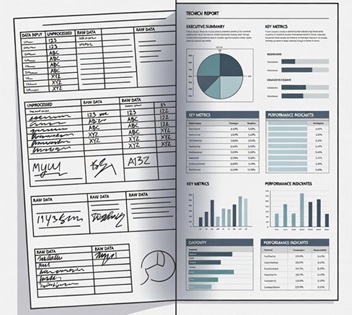
My aha moment came while trying to find a way to effectively process large amounts of test data from a new system. Excel had always been my go-to data processing resource and I had learned to leverage VBA pretty well, but this new dataset was proving to be too complex. My counterpart test engineer and I both had a little Python experience and had been dipping our toes in AI to help when we got stuck with syntax. However, this project was going to be a big one and the timeline was being pulled in daily. So we took the plunge into our first “vibe” coding project. The result? What would have taken us 6-8 weeks to write and troubleshoot previously was done, validated, and launched in 1.5 weeks! I was sold.
Since that time, I’ve leveraged these tools more and more effectively. AI is a great tool to help write training documents or work instructions because it can do all of the time-consuming typing while I focus on the value-added work of proofreading and making sure everything is exactly as it should be. My team is continuing to write custom software solutions that are tailored exactly to our needs and allow staff at any level to use the tool to transform complex data into usable reports.
Do any of you have customer data that lives mostly free-form text fields and have tried to Pareto that data?
Until this year, I have cleaned that type of data manually with search criteria and burned untold hours accomplishing that task. AI dramatically reduces that timeline to clean the data. Then it allows me to write custom software for the reporting department to use for data entry so we can keep the new data clean. Now, with the AI tools available I can leverage a typist, junior programmers, and brainstorming partners from my desk.
Where to use caution Link to heading
AI is great, but you do still have to do the work. AI is a useful assistant, but I don’t let it make the decisions. That is still the job of intelligent and experienced staff. I let the tools help me be more productive so that the focus can be put on the critical parts that require experience to ensure correctness. Look to AI as an assistant to help, but not one that can be trusted without verification! And I hope this goes without saying but do not put confidential or customer data into a public AI system! Assume that someone else can see what you are doing and don’t put the sensitive stuff out there.
Technology is rapidly evolving, but the responsibility remains ours. Find the right tools to leverage in order to be better every day while still keeping the quality of work as the critical element.
I hope that you have gained something from this article. Questions about implementing AI in your workflow? Interested in discussing a specific use case? Reach out via my contact page, I’m always excited to talk through how these tools can benefit your team.